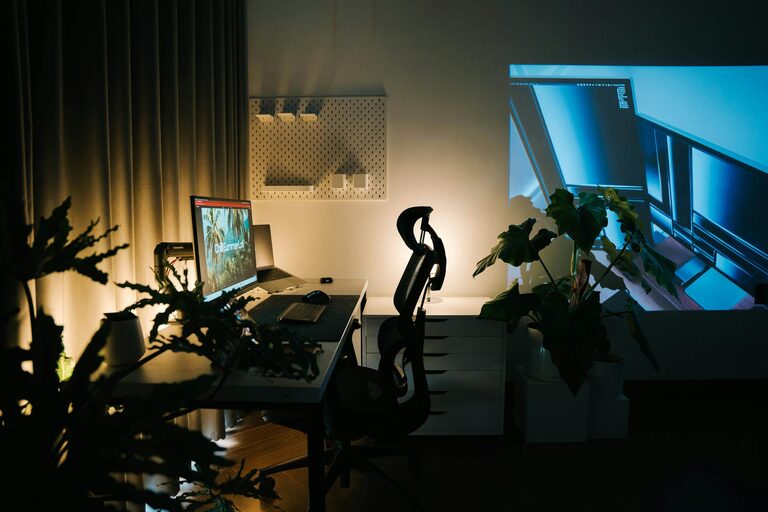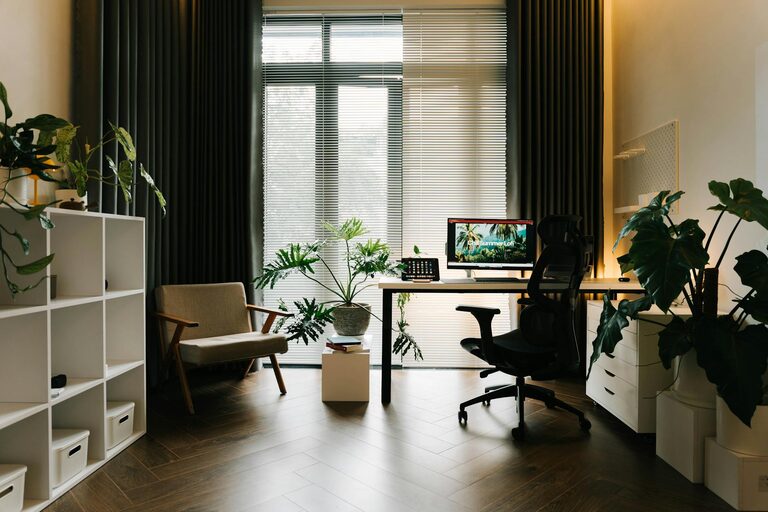

Creating a productive home office environment is essential for anyone working remotely or managing tasks from home. A well-designed workspace can improve focus, increase efficiency, and help maintain a healthy work-life balance. Whether you have a dedicated room or a small corner in your home, these tips will help you set up a space that supports your productivity and well-being.
1. Choose the Right Location
Finding the best spot for your home office is the first step. Ideally, select a quiet area with minimal distractions where you can focus during work hours. If possible, choose a space with natural light and good ventilation to keep the area comfortable. A corner in the living room, a spare room, or even a converted closet can work as long as the environment feels separate from your relaxation zones.
2. Invest in Ergonomic Furniture
Comfort is key for maintaining productivity. Invest in an ergonomic chair that supports your posture and a desk at the right height for typing and writing. This helps prevent strain and fatigue, which can negatively impact your concentration and health. Adjustable chairs, standing desks, or desk converters can help you vary your position throughout the day.
3. Optimize Lighting
Good lighting reduces eye strain and improves alertness. Use a combination of natural light and task lighting. Position your desk near a window to take advantage of daylight, but avoid glare on your screen. Supplement this with a desk lamp or adjustable LED light that provides bright, even illumination without harsh shadows.
4. Keep Your Workspace Organized
A cluttered space can lead to a cluttered mind. Use organizers, filing cabinets, and trays to store papers, stationery, and tools neatly. Reserve your desk surface for the essentials to keep it clear and inviting. Spend a few minutes at the end of each day tidying up to start fresh the next morning.
5. Personalize Your Space Thoughtfully
Adding personal touches can make your home office more pleasant and motivating. Choose artwork, plants, or photos that inspire you but avoid over-decorating, which might distract you. Green plants also help improve air quality and add a calming touch to your workspace.
6. Minimize Distractions
Identify and reduce interruptions as much as possible. Inform family members of your work hours and create signals (like a closed door or headphones) that indicate when you need quiet. Turn off notifications on your phone or computer except for urgent ones. Consider noise-canceling headphones if background noise is unavoidable.
7. Set Up Technology Efficiently
Make sure your computer, printer, and other devices are set up for easy use. Use a reliable internet connection and have necessary accessories like a mouse, keyboard, and charger within reach. Cable organizers can keep wires tidy and prevent tangling. Test your setup regularly to avoid technical issues during work.
8. Incorporate Break Areas
If space allows, create a small area for breaks, such as a comfortable chair or a spot near a window. Taking short breaks away from your desk helps refresh your mind and reduce stress. Stretching, walking, or simply changing scenery can boost your productivity when you return to work.
9. Establish a Routine and Boundaries
Designate specific working hours and stick to them as much as possible. Having a routine helps train your brain to switch into work mode. Avoid working from your bed or couch to maintain clear boundaries between work and rest. Communicate your schedule with household members to minimize interruptions.
10. Regularly Review and Improve Your Setup
Your home office needs might change over time. Regularly assess your setup to ensure it continues to meet your needs. Adjust lighting, furniture arrangement, or technology as needed to maintain comfort and effectiveness.
—
By following these tips, you can create a home office environment that supports your productivity and overall well-being. A thoughtfully arranged workspace helps you focus, reduces stress, and makes working from home more enjoyable and efficient. Start with small adjustments and build your perfect workspace over time to fit your unique preferences and work style.
About the Author